setting store on Epicsellr is very easy. You can set everything about your store on store owner dashbord page.You can set your store logo and school banner For better contact between vendor and customer school settings has contact information insert form combined of phone number, email address, physical location information, biography and location map.
1 set logo and Store banner
Branding, including elements like a logo and banner of the store page is incredibly important. Your logo is often the first thing customers notice about your brand, and it serves as a visual representation of your business. Here’s why branding, including a strong logo, matters
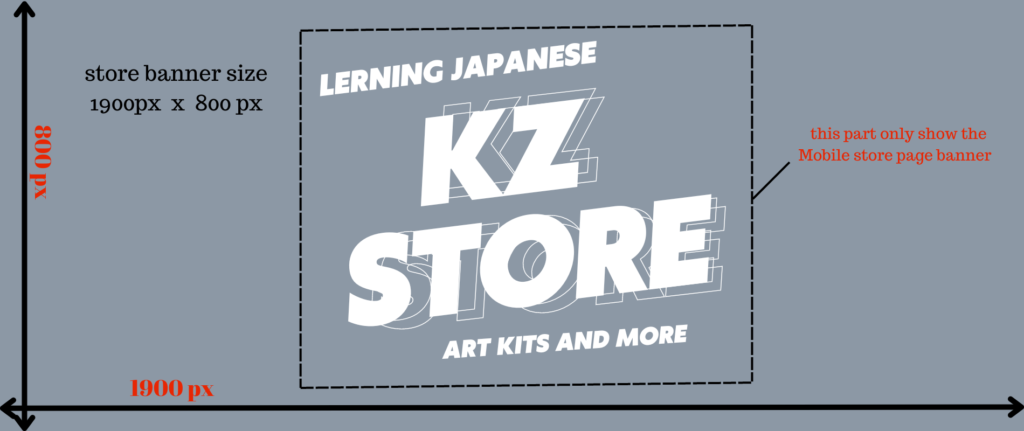
School banner will represent vendor products concept by one big image. Vendor could use a good visual interactive image to grab the attention of customer. Vendor will set the image from store Dashboard→Settings→School page.
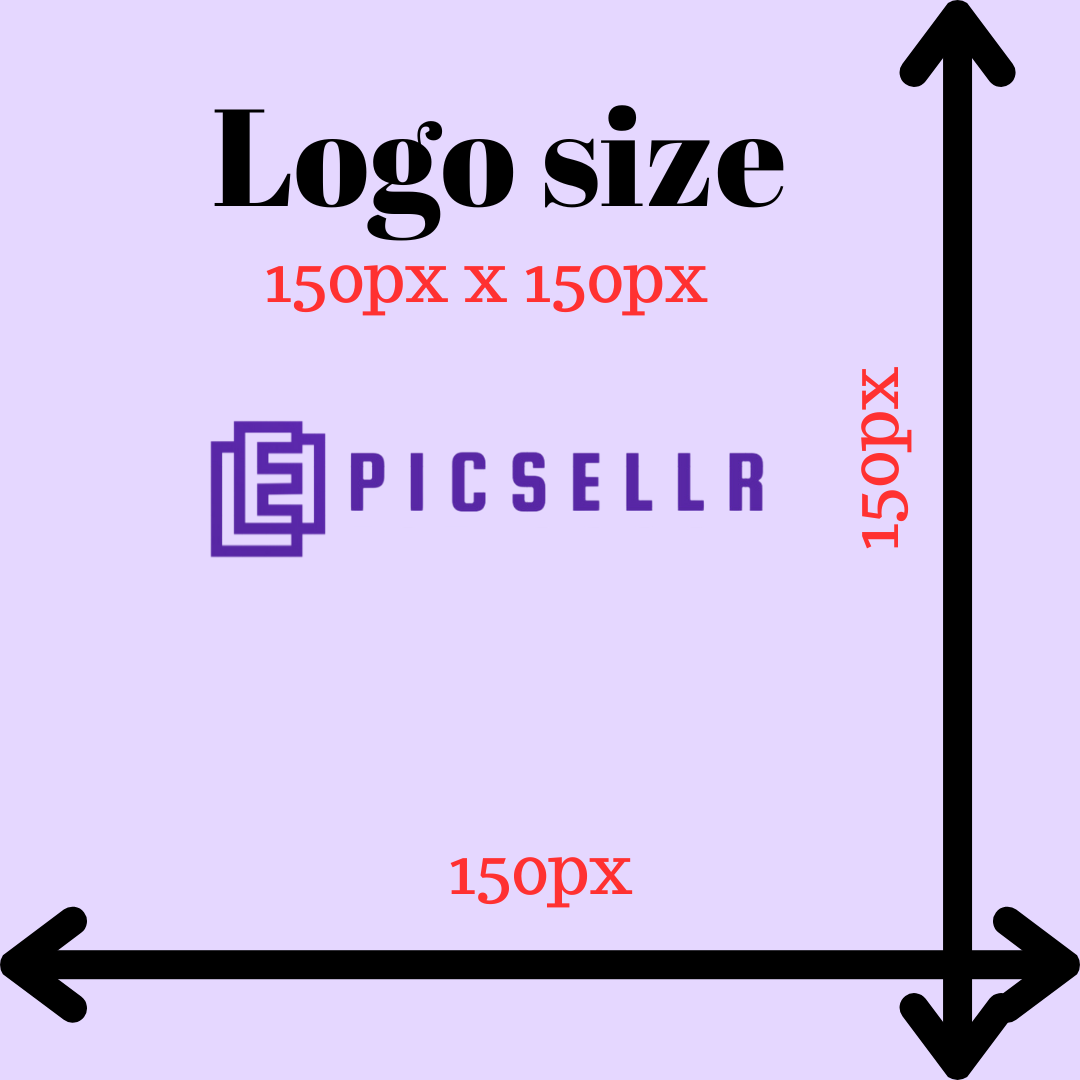
this is the image of logo size and school banner size.
logo size 150px x 150 px
School banner size 1900px x 800px
2 Biography
Writing a biography section for your school’s website is crucial for several reasons:
Establishing Trust:
Students want to know who they’re learning from. Providing a biography helps build trust by giving insight into the people behind the school—their expertise, values, and motivations.
Connecting with Students:
A well-written biography allows you to connect with your target audience on a personal level. It humanizes your brand, making it more relatable and creating a stronger emotional connection with students.
Differentiation:
Your school’s biography is an opportunity to highlight what makes you unique. Whether it’s your story, teaching style, or values, showcasing your distinctiveness helps you stand out from other schools.
Building Credibility:
Sharing your school’s background, achievements, and credentials builds credibility and trust. It reassures students that you have the knowledge and experience to provide high-quality education.
Brand Storytelling:
A biography lets you tell your brand story. Storytelling is a powerful way to engage students and make your school memorable.
SEO Benefits:
Including relevant keywords in your school’s biography can improve your website’s SEO and help more students find you online.
Overall, writing a compelling biography for your school’s website is essential for building trust, connecting with students, and standing out in a competitive market.
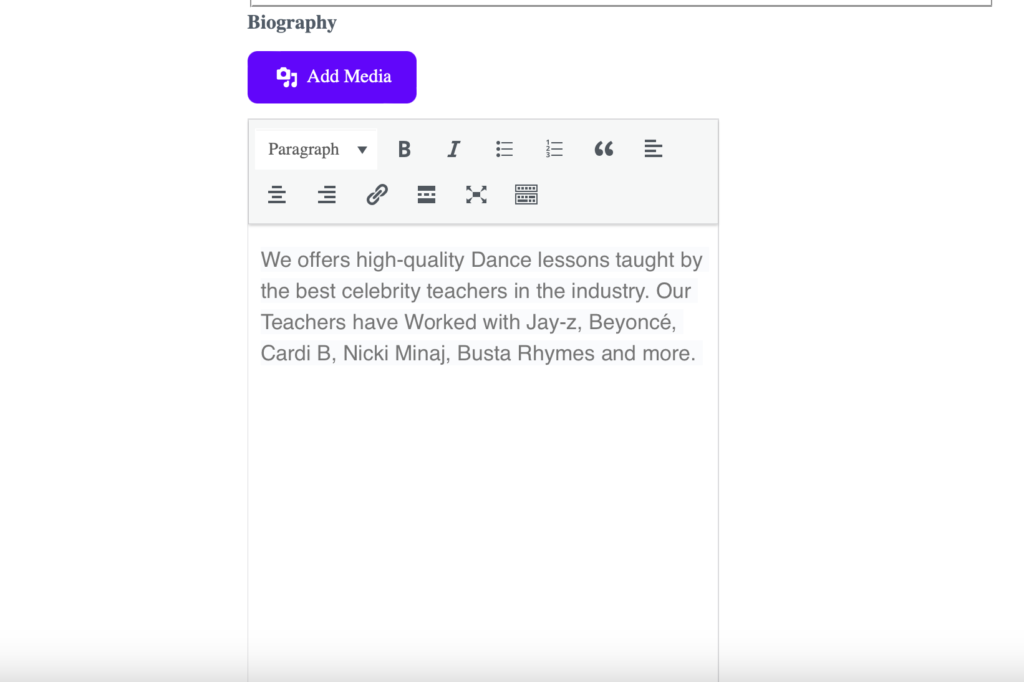
You can set your biography from:
Dashboard → Settings → School Page
3. Terms and Conditions
Creating clear and comprehensive terms and conditions is essential when opening an online school. Here are some key points to consider when drafting them:
Enrollment Terms:
Outline the terms of enrollment, including pricing, payment methods accepted, subscription details (if any), and any applicable taxes or fees.
Access and Delivery:
Specify how students will access courses (e.g., online platform, login details), availability अवधि, and any restrictions on access or usage.
Refund Policy:
Clearly state your refund policy, including eligibility conditions, timelines, and whether partial refunds or credits are offered.
Course Information:
Provide accurate and detailed descriptions of your courses or services, including content, duration, pricing, and any prerequisites or limitations.
Privacy Policy:
Explain how student information is collected, used, and protected. Include details on data security and communication preferences.
Intellectual Property Rights:
Clarify ownership of course content, materials, and branding. State any restrictions on sharing, copying, or redistributing your content.
Liability and Disclaimers:
Limit your liability by including disclaimers related to course outcomes, results, and any potential risks associated with applying the knowledge.
Governing Law:
Specify the governing law and jurisdiction that will apply to any disputes.
Modification and Termination:
Reserve the right to update or terminate the terms and conditions at any time, and explain how users will be notified of changes.
Acceptance of Terms:
Require students to agree to your terms and conditions before enrolling or accessing your courses.
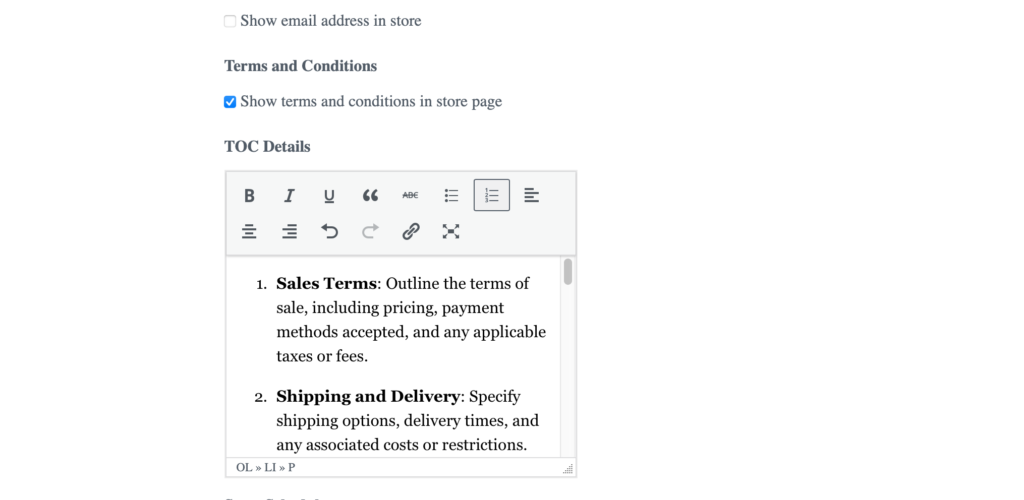
You can set your terms and conditions from:
Dashboard → Settings → School Setting Page
It’s important to ensure that your terms and conditions are written in clear and easy-to-understand language, and are easily accessible to students on your website. Consider seeking legal advice to ensure your terms comply with applicable laws and regulations in your jurisdiction.
You can set this up from:
Dashboard → Settings → School Setting Page
Make sure to check the box to display your terms and conditions on your school page.
If you do not set your terms and conditions, you may not be able to start selling or accepting students on Epicsellr.
4.Payment Settings
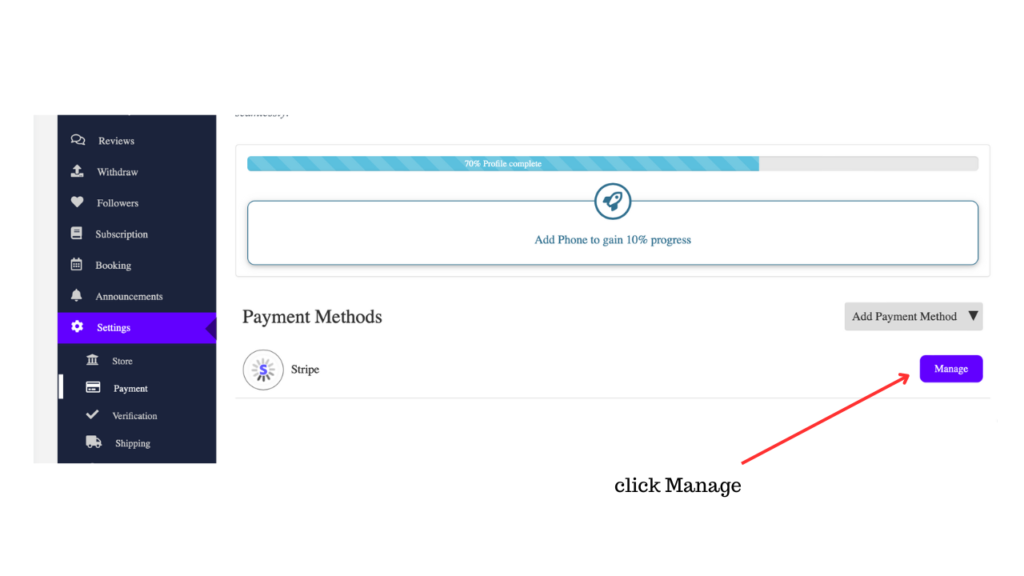
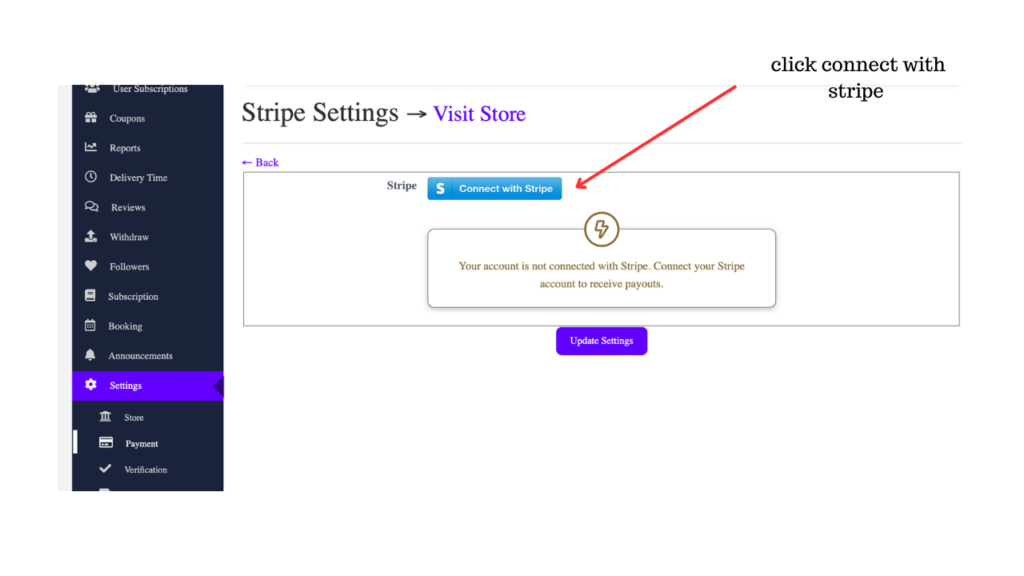
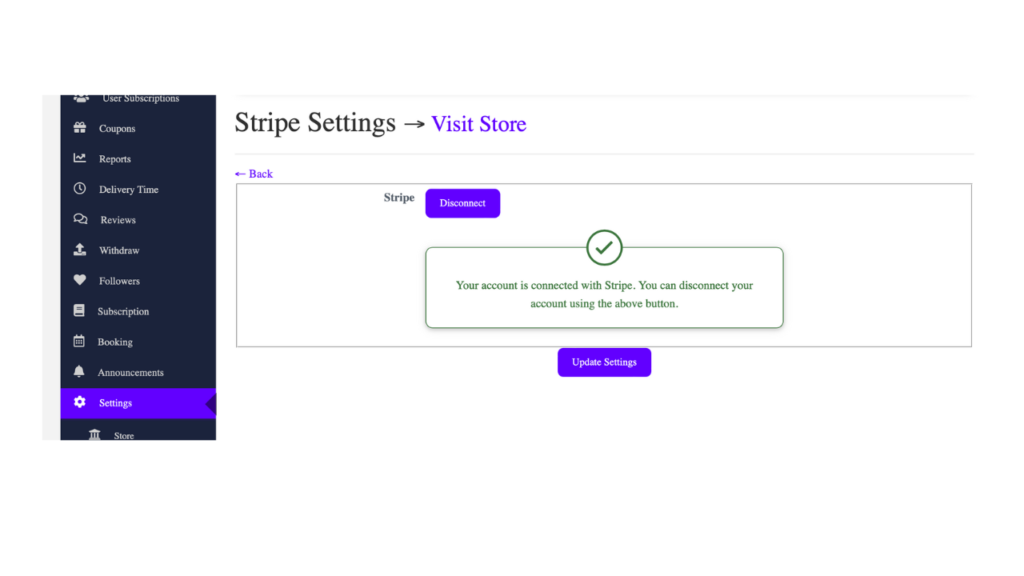
in order to correct your earning, you must have stripe account. if you don’t have stripe account , you can set from this page . customer payment go directly to your stripe account so no more waiting like Amazon, Marcary or other Market place platform.
you can set your stripe account from Dashboard→Settings→Payment
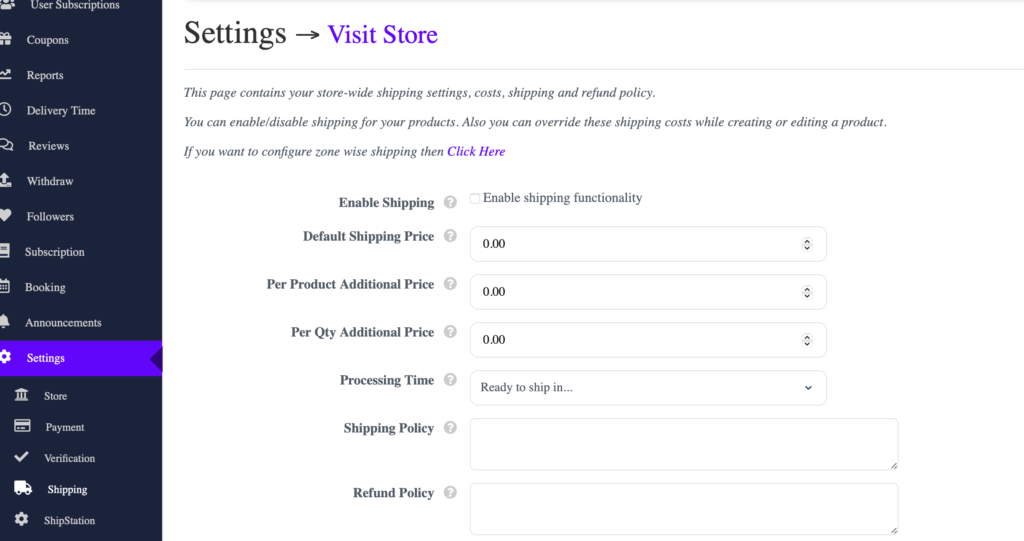
5.Shipping Settings
This page contains your school world -wide shipping settings, cost, shipping and refund policy. You can enable/disable shipping for your products. Also you can override these shipping costs while creating or editing a product.
You can set from Dashboard→Settings→shipping
6.Social Profiles
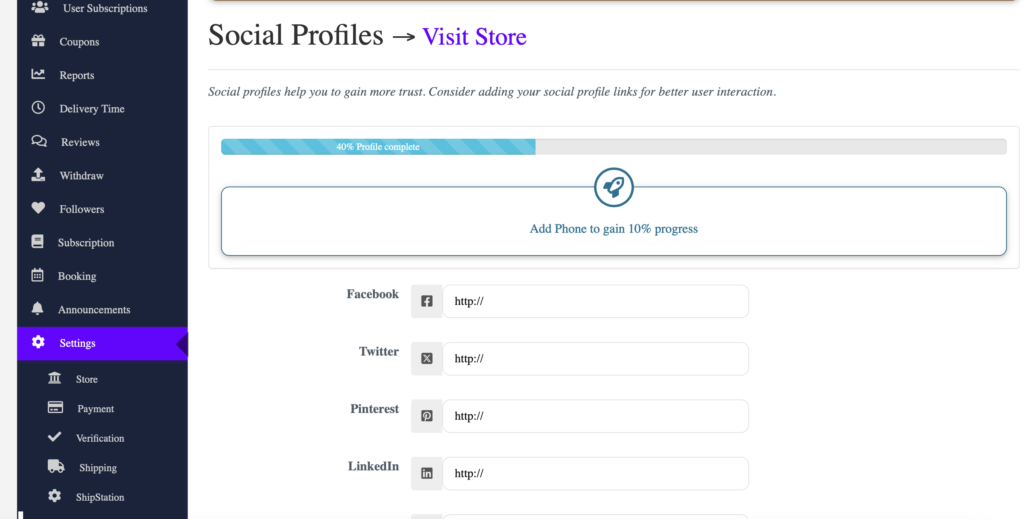
Social profiles help you to gain more trust. Consider adding your social profile links for better user interaction. You can link every social networking sites with your store from this page.
Dashboard→Settings→Social Profile
If you have any question ,you can reach out to us through the contact form on our website. We’re here to assist you with any questions, concerns, or inquiries you may have.